Anydesk
AnyDesk, a fast remote access to computers

Safe & Secure
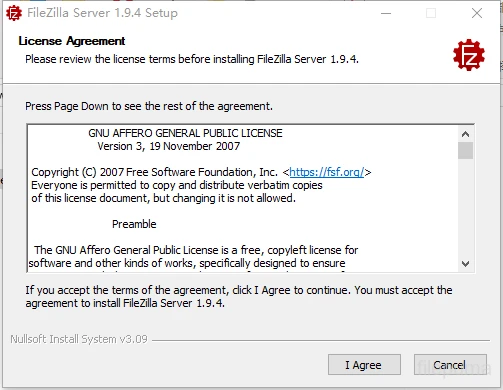

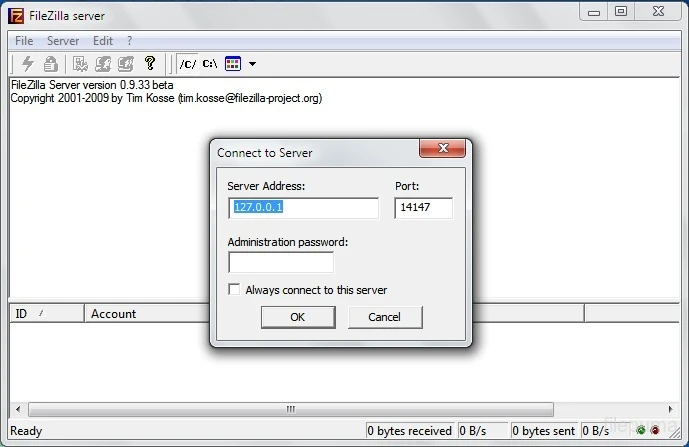
FileZilla Server is a free and open-source FTP and FTPS server to make file transfer simple and intuitive, specifically designed for the Windows operating system. It allows users to upload and download files to/from the FTP server using two different profiles, including individual or group profiles. It is an easy and simple tool without requiring a learning curve.
No doubt, file transfer through File Transfer Protocol (FTP) is complicated, but it is reliable. So, the app helps users to control the entire process more reliably, offering an easy-to-understand interface. It helps to manage user accounts with complete bandwidth control capability.
FileZilla, developed by Tim Kosse, falls under the Servers category and is open-source software used for facilitating file transfer between computers over a network. It supports multiple protocols, such as FTP, FTPS, and SFTP, focusing on straightforward administration, strong security options, and stability.
It is the best choice for IT professionals, small businesses, and individual use to make file transfer secure and reliable. It scales up from a single-user setup to enterprise services, delivering an approachable GUI, unlimited configuration options, and per-user controls.
The app offers smooth file exchange between local systems and remote servers, supporting multiple protocols, such as FTP, FTPS, and SFTP, to make your data transmission secure through SSL/TLS encryption for FTPS connections. It proves to be the best alternative to multiple commercial software options with broader protocol support, and reliably competes with multiple open-source options, such as ProFTPD, VSFTPD, and so on. It is quite adaptable to various firewall and network settings, supporting both passive and active modes as well.
You will find side-by-side local and remote directories to make your file transfer simple and easy, as you can use the drag-and-drop option to make the transfer process fast and reliably manage context-menu operations, including uploading, downloading, renaming, and deleting. However, the lack of support for native SFTP (SSH File Transfer Protocol) can minimize the modern file transfer solutions. So, users have to go for FileZilla Client Pro version.
You can quickly access files for saving and managing connection details using the Site Manager, and it also offers a Transfer Queue for showing the progress and status of active transfers. You can also organize and optimize your workflow using multiple additional tools, such as directory comparison, file filtering, and transfer speed limits. In addition, the support for IPv6 and international character sets ensures compatibility with modern networks and multilingual ecosystems.
The graphical user interface, with support for an additional utility, is accessible on the local machine, allowing remote administration. It streamlines the workflow to manage multiple servers simultaneously using the tabbed connections. No doubt, the appearance of the interface is outdated, but it helps to organize user and group management, implement IP filtering, display active connection statuses, and manage the SSL/TLS certificate.
The app is reliably useful in different scenarios, such as small businesses and IT teams who want low-cost and easy-to-manage FTP/FTPS servers. It is also applicable for developers and power users to offer granular user control, resumable transfers, and reliable logging to troubleshoot. If you are a simple home user, the app will prove to be the best option, as it also hosts files securely without requiring a commercial license.
The app, with a lightweight architecture, doesn’t consume many system resources, working like a breeze. It is available under the GPL license to offer free services and offers stability for multiple server hardware configurations. It is integrated with the popular FileZilla Client for streamlining transfer workflows for transfers. Moreover, the community-driven capability helps to update the app regularly, as offered by the efficient community.
The app, with an awesome combination of simplicity, reliability, and technical strength, proves to be an efficient and trusted app, ensuring consistent and secure data transfer. It offers effortless file management across multiple systems within an intuitive interface, multi-protocol support, and performance-driven design. It is also capable of limiting the upload and download speed to optimize server performance.
Pros
Cons

AnyDesk, a fast remote access to computers

Accelerated Downloading with Internet Download Manager (IDM)

SHAREit for PC is the best option for a P2P file-sharing process without using Wi-Fi.

ShareMe for PC, a freeware and streamlined file-sharing app

uTorrent, a powerful, lightweight, and fastest P2P file-sharing software

Xender for PC, an effective and convenient file transfer utility